PowerShell and .Net for Jupyter Notebooks – Azure Notebooks what’s is the future?
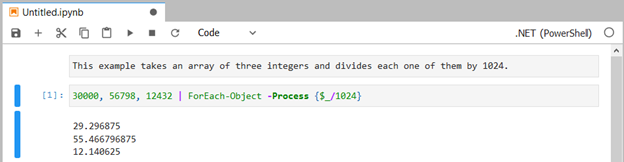
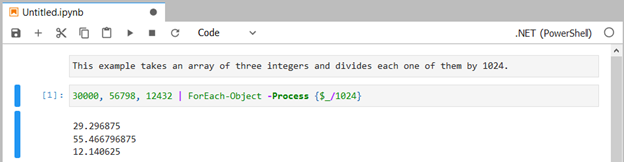
Już jakiś czas temu zrobił się modny temat wykorzystania Jupyter Notebooks, które to rozwiązanie pozwala na dodawanie działającego na żywo kodu aplikacji do wyświetlanej właśnie dokumentacji. Co więcej wynik działania kodu od razu jest widoczny w dokumentacji – tak jak poniżej:
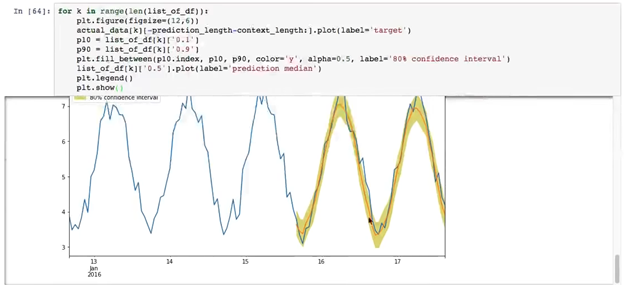
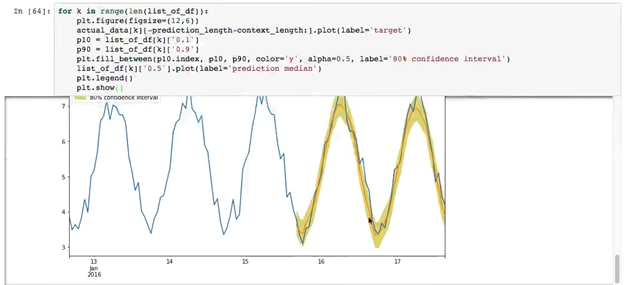
Warto wspomnieć, iż Notebooki mogą również wyświetlać grafikę i dlatego właśnie osoby przygotowujący modele AI tak bardzo pokochały Jupyter notebooks:
O ile dla Python, F# i języka R Jupyter Notebook’i były dostępne od dawna, o tyle zupełnie niezauważenie przeszła informacja, iż funkcjonalność dostępna jest dla PowerShell no i od dłuższego czasu dla .NET. Możemy to poćwiczyć używając linku:
https://mybinder.org/v2/gh/dotnet/interactive/master?urlpath=lab
Warto wspomnieć, że od dłuższego czasu do dyspozycji mamy Azure Notebooks Preview – czekam, aż zostanie zintegrowane z CloudShell i pięknie będzie można publikować ćwiczenia i konfiguracje do Azure.
A tutaj można zobaczyć, jak to działa – tylko proszę się zalogować używając swojego konta organizacji, aby móc wykonać kod poprzez wciśnięcie Shift i Enter:
https://azurenotebooks-mariuszferdyn.notebooks.azure.com/j/lab/tree/KolejnaLiczba.ipynb
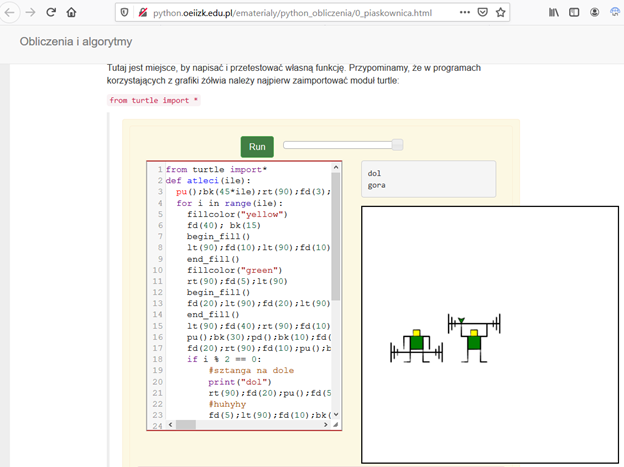
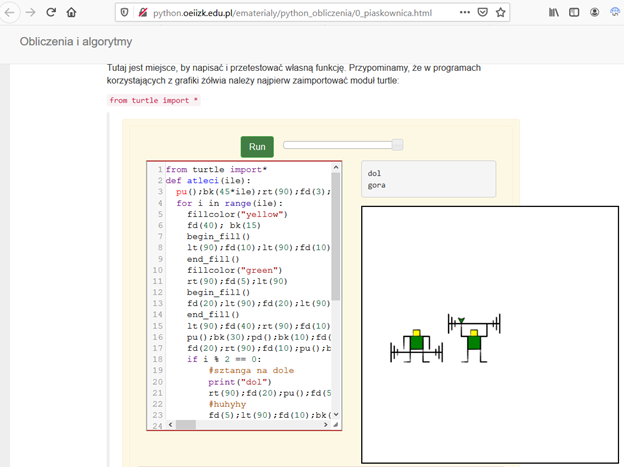
A tak na marginesie dzieci od dawna uczyły się Pythona używając bardzo fajnego rozwiązania rodem z Runestone Interactive, a mianowicie:
http://python.oeiizk.edu.pl/ematerialy/python_obliczenia/0_piaskownica.html#
Jupyter Notebooks became popular that allows us to add live application code to the documentation being displayed. What’s more, the result of the running code is immediately visible in the documentation – as below:
Notebooks can also display graphics, that’s why people preparing AI models loved Jupyter Notebooks so much:
Jupyter Notebooks have been available for a long time for Python, F # and R language, but the information that the functionality has been available for PowerShell and for.NET has gone unnoticed. We can practice this using this link:
https://mybinder.org/v2/gh/dotnet/interactive/master?urlpath=lab
It is worth mentioning that Azure Notebooks Preview has been available for a long time – I am waiting for integration with CloudShell and we will be able to publish Azure exercises and configurations using live bricks.
Here you can see how it works – just log in using your organization account to be able to execute the code by pressing Shift-Enter:
https://azurenotebooks-mariuszferdyn.notebooks.azure.com/j/lab/tree/KolejnaLiczba.ipynb
By the way, children can use other Python Web tools with turtle like:
http://python.oeiizk.edu.pl/ematerialy/python_obliczenia/0_piaskownica.html#